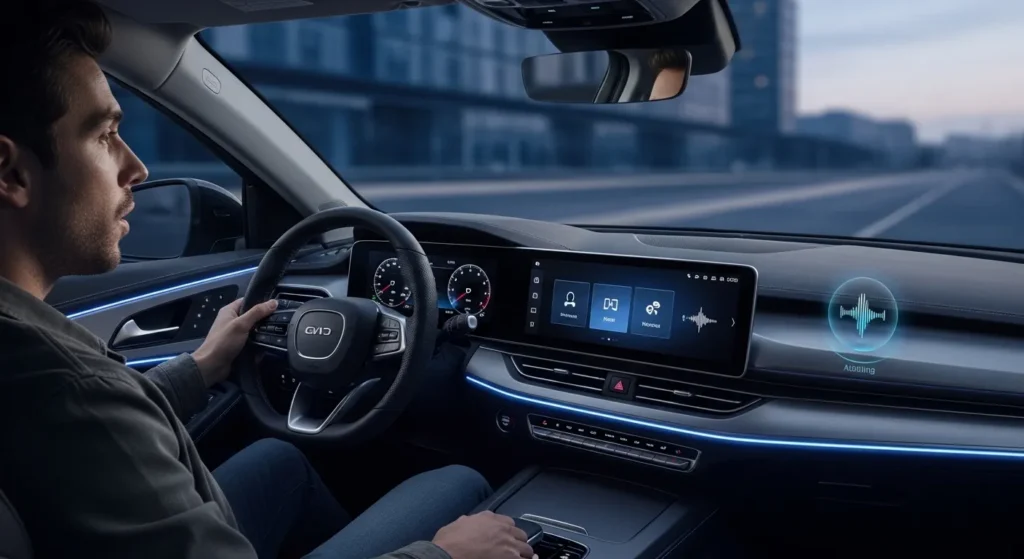
In 2026, “AI in cars” is no longer just about self-driving headlines. The most visible change for everyday drivers is the rise of the in-car AI copilot—a smarter voice assistant that can answer questions, explain vehicle warnings, guide maintenance, and (in EVs) help manage energy and charging.
But here’s the problem: the word “AI” gets used for everything. Some systems are genuinely helpful. Others are glorified voice commands with a marketing label. And even the best AI copilots still have two big risks: trust (they can be confidently wrong) and privacy (they may collect more data than you expect).
This guide breaks down what an in-car AI copilot 2026 can realistically do, what you should never rely on it for, and the safest way to set it up so you get the benefits without the surprises.
Why in-car AI copilots are trending right now
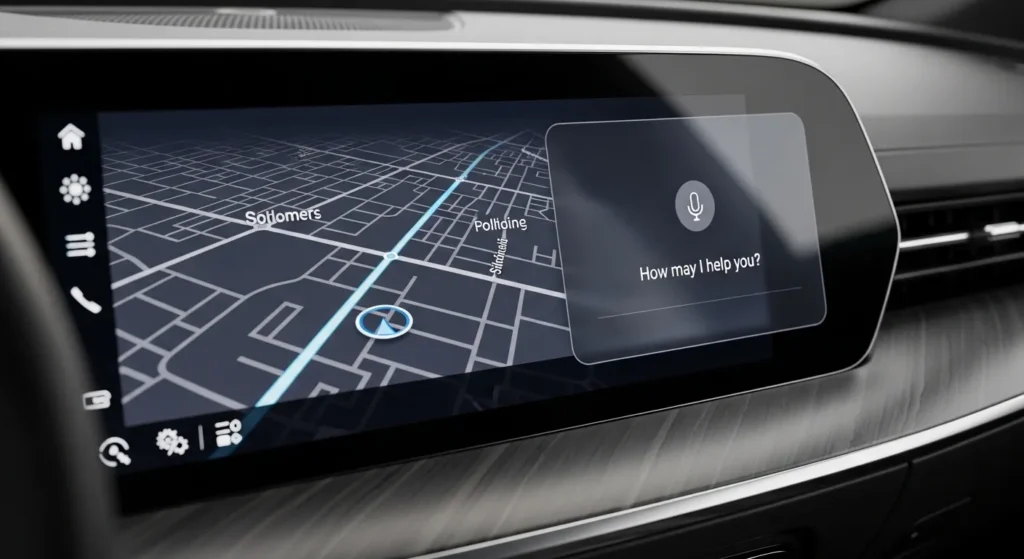
Automotive tech coverage around CES 2026 highlighted how multiple automakers are embedding large-language-model style assistants into vehicles for natural conversation, maintenance guidance, and energy management. That matters because it shifts the assistant from “play music” to “help me run the car.”
At the same time, modern vehicles are becoming software platforms: over-the-air (OTA) updates, subscription features, connected services, and more complex safety systems. Drivers are searching for clarity. An AI copilot is positioned as the “translator” between you and your car’s increasingly complicated systems.
What an in-car AI copilot actually is (in plain English)
An in-car AI copilot is usually a combination of:
- Voice interface (microphones, wake word, speech-to-text)
- Vehicle data access (status, warnings, battery/charging, sometimes diagnostics)
- Connected cloud services (maps, search, knowledge base, sometimes LLM reasoning)
- Safety rules (limits on what it will show or do while driving)
In the best cases, it can answer questions like:
- “What does this warning light mean?”
- “When is my next service due?”
- “Find the nearest fast charger with availability.”
- “How do I turn on lane keep assist?”
- “Why did my range drop today?”
In the worst cases, it’s mostly a voice-controlled menu system with limited understanding and a lot of “I didn’t get that.”
Where AI copilots help the most (real-world use cases)
1) Smarter navigation and trip planning
AI copilots are getting better at “human” requests—things like “Find a coffee shop on the way with easy parking” or “Avoid tolls and heavy traffic.” This is a big quality-of-life upgrade compared to rigid voice commands.
2) Explaining warnings and features
Modern cars have dozens of driver assistance and safety features. A good copilot can explain what a system does, what the limits are, and where the toggle lives in your menus. That reduces distracted fiddling.
Internal link (Automotive Total): Top Car Safety Features Every Driver Should Have in 2025
3) Maintenance guidance that prevents “panic repairs”
Drivers commonly overreact to warnings (or ignore them entirely). AI copilots can bridge the gap by giving context: whether it’s an urgent stop-now issue, a “service soon” item, or a “check this at your next visit” notification.
Internal link (Automotive Total): Essential Car Maintenance Tips Every Driver Should Know
4) EV energy management and charging help
For EVs, AI copilots can be genuinely useful: optimizing routes for charging, explaining range changes, and suggesting charging strategies. Even mainstream outlets keep repeating one key point: EV ownership is easier when you understand tires, temperatures, charging habits, and maintenance differences.
Internal link (Automotive Total): The Future of Electric Vehicles: What Drivers Need to Know in 2025
What you should NOT trust an AI copilot to do
This part matters. AI copilots can sound confident even when they’re wrong. Use these rules:
- Do not rely on it for diagnosis (“Your transmission is failing”). Treat it as guidance, not a mechanic.
- Do not let it override safety judgment (e.g., “It’s fine to keep driving”). If you have overheating, brake warnings, or loss of power, follow the owner’s manual and get help.
- Do not assume it knows your exact trim/options. Cars differ by year/market/package. Verify with your manual or manufacturer support.
- Do not follow “creative” advice while driving. If it gives a multi-step procedure, pull over first.
Think of it like a helpful passenger who sometimes guesses. Useful—but not authoritative.
Privacy reality: what data these systems may collect
Because many copilots rely on cloud services, they can involve data flows like:
- voice recordings or transcripts (at least temporarily)
- location history (navigation requests, trip logs)
- vehicle telemetry (battery state, fault codes, usage patterns)
- contact lists and call history (if you sync your phone)
That doesn’t automatically mean “bad.” It does mean you should treat setup like a security decision, not just a convenience click-through.
How to set up your in-car AI copilot safely (10-minute checklist)

1) Start with permissions: give only what you need
- Allow microphone access only if you actually use voice features.
- Turn off “always listening” if you don’t need wake word convenience.
- Limit location sharing to “while using” if the system supports it.
2) Review data sharing options in the vehicle settings
Look for settings like:
- “Share analytics/diagnostics”
- “Personalization”
- “Improve voice recognition”
- “Send crash/incident data”
Pick what matches your comfort level. If you’re unsure, start minimal and expand later.
3) Use a separate driver profile (especially in family cars)
If your car supports multiple profiles, set them up. It prevents mixed navigation history, saved destinations, and assistant personalization crossing between drivers.
4) Keep OTA updates enabled (for security and bug fixes)
Cars are software now. Updates can patch vulnerabilities and fix major issues. If you disable updates, you may be choosing inconvenience later.
5) Don’t pair everything automatically
- Only sync contacts if you use hands-free calling heavily.
- Think twice before connecting third-party apps to the car account.
How this connects to hands-free driving and ADAS
In-car copilots are often bundled with advanced driver assistance systems (ADAS) and hands-free driving packages. The assistant can explain how these systems work, when they’re active, and what the limitations are.
Internal link (Automotive Total): Snapdragon Ride Pilot: Qualcomm & BMW’s Hands-Free Driving Tech
Bottom line: AI doesn’t “make the car self-driving.” It can reduce friction—helping you understand and use features correctly—but you’re still responsible for attention and control unless the system explicitly supports a hands-free mode and you follow its conditions.
Smart internal + network links (optional, but strong for SEO)
If you want to keep readers inside your ecosystem (and improve session duration), add one or two of these as “related reads”:
- From your network (reviews/ownership angle): How to Read a Car Review Like a Pro
- From your network (AI culture/design angle): AI-Generated Car Art and Automotive Design
Final thoughts
The in-car AI copilot is one of the biggest everyday car trends of 2026 because it changes the driving experience in small but meaningful ways: faster answers, less menu-diving, better trip planning, and clearer maintenance guidance.
Just keep it grounded: use it for assistance, not authority. Lock down privacy settings on day one. And verify anything that affects safety or major repair decisions with your manual, dealer, or a qualified mechanic.